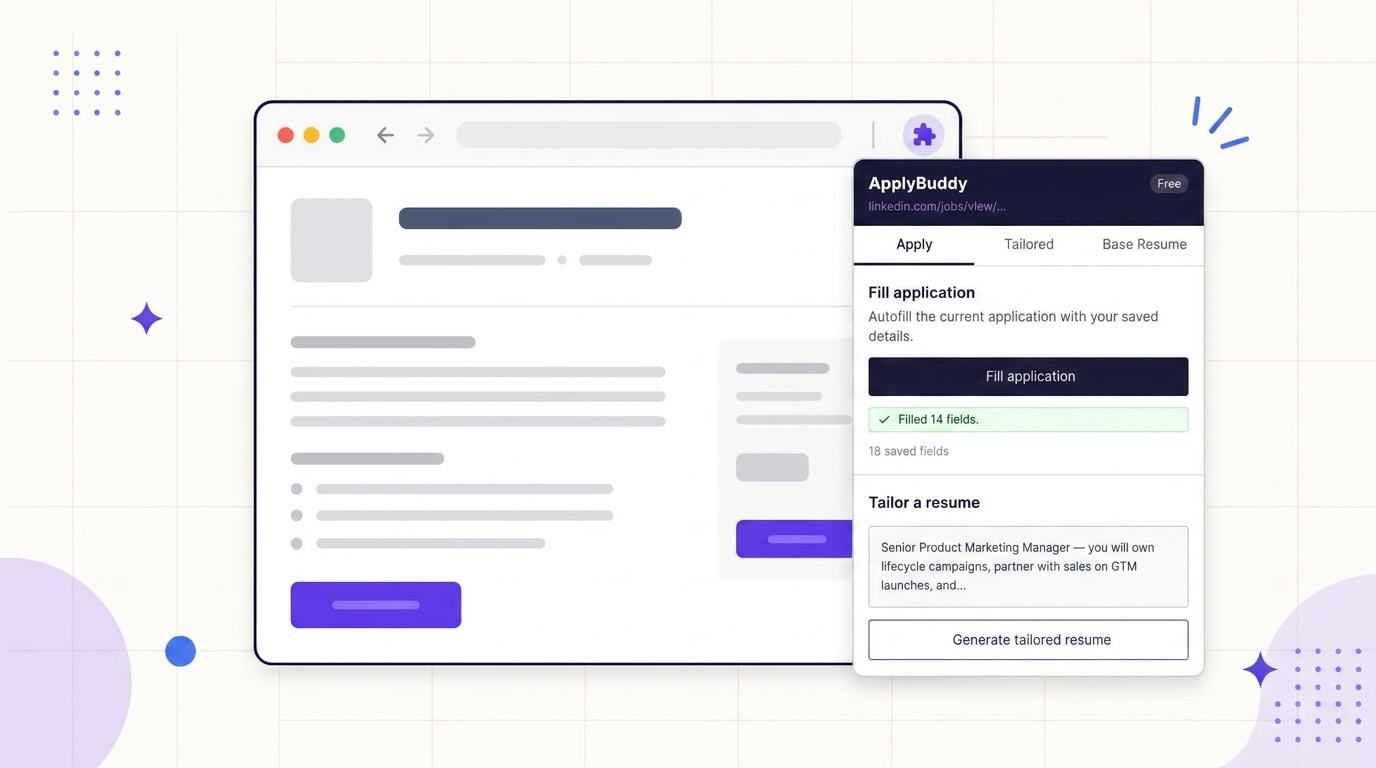
Simplify and ApplyBuddy both offer free browser autofill to reduce repeated typing on job applications. Both also offer resume tools. The useful comparison is how each fits the rest of your search: finding roles, preparing documents, checking forms and keeping track of applications.
This comparison is published by ApplyBuddy. We checked Simplify’s public product pages and help center on October 13, 2026. Features and prices can change; follow the linked sources for current details.
The short version
| Feature | Simplify | ApplyBuddy |
|---|---|---|
| Browser autofill | Free Copilot on supported portals | Free extension on matching supported form controls |
| Submission in the extension | You submit in Copilot | You submit |
| Resume tools | Free basic builder; advanced AI tailoring in Simplify+ | One tailored resume every 24 hours free; more on Pro |
| Reviewing edits | Editable suggestions and drafts | Edits report and matched keywords |
| AI cover letters | Simplify+ | Pro |
| Job discovery and tracking | Available | No job board or application tracker in this extension workflow |
| Paid plan | $39.99/month; weekly and three-month options | $5/month or $48/year |
Simplify’s free features are described on its Copilot page, its AI tools and prices in the Simplify+ help center, and its editable resume suggestions on the Simplify website. ApplyBuddy’s plan details are in our pricing table. Daily AI usage limits apply to ApplyBuddy Pro.
What each extension fills
Simplify Copilot uses a saved profile on supported application portals. Its documentation lists Workday, Greenhouse and Lever among them and describes both autofill and application tracking. Check its profile and saved answers before using it on a new form. Copilot overview.
ApplyBuddy uses an autofill profile built from your base resume and editable in the dashboard. It matches saved details to supported fields using labels and other field information. Depending on the form, those details can include your name, contact information, address, links, current role, education, desired salary and availability.
ApplyBuddy can also fill matching saved custom answers in text boxes and standard dropdowns. It does not generate a new answer during autofill. A field with no matching saved value stays blank, and an existing value is left alone.
Neither approach guarantees that every form will work. Custom widgets, repeated work-history sections and ambiguous labels can still need manual attention. Try the tool on a form you use often and review what it actually fills.
Autofill and automatic submission are different
The ApplyBuddy Chrome extension fills fields and stops. It skips file uploads, radios and checkboxes, and deliberately excludes recognized work authorization, visa and sponsorship questions. You attach documents, review the page and submit.
Do not treat that as a blanket promise that every sensitive question will be recognized. In particular, a saved custom answer can match a supported text field or dropdown. Check your profile and the completed form, including any voluntary disclosures.
Simplify Copilot also leaves the final submission to you. Simplify has a separate Autopilot feature, included with Simplify+, that completes and submits an application for you. Its Autopilot guide explains the distinction. Choose the workflow intentionally rather than assuming all Simplify features stop at the same point.
What happens to your resume
Both products offer tools for adapting a resume to a role. Simplify+ includes AI tailoring, while its broader product also offers a basic resume builder and editable suggestions. Simplify+ features.
With ApplyBuddy, open the job posting in the extension, check the detected description, select a base resume and generate a tailored draft. The edits report lets you inspect changes and matched keywords before downloading it. A free account includes one tailored resume every 24 hours.
Whichever tool you use, compare the draft with your original experience. Keep job titles, dates, skills and achievements accurate. AI-generated wording needs your review, and a stronger-looking score does not guarantee an interview.
What the paid plans cost
As checked on October 13, 2026, Simplify’s own pricing documentation lists Simplify+ at $19.99 for one week, $39.99 for one month, or $89.99 for three months. It states that subscriptions renew unless canceled.
ApplyBuddy Pro is $5 a month or $48 a year, equivalent to $4 a month when paid annually. Pro removes the free plan’s one-tailor-per-day restriction and unlocks AI cover letters and applying Resume Boost edits. Daily AI usage limits remain, so this is not a promise of unlimited generation.
ApplyBuddy has the lower listed monthly subscription price. The plans cover different feature sets, however, so compare the tools you will actually use and the total amount billed for your chosen term.
Choosing a workflow
Consider Simplify if discovery and tracking matter to you. Its job listings and application tracker may reduce the number of separate tools you maintain. Those capabilities are part of the broader workflow shown on Simplify’s website.
Consider ApplyBuddy if your priority is preparing each resume. You can start with a free tailored resume, inspect the edits report, and decide whether Pro is useful for your application volume. The free resume review, cover letter review and salary estimate provide other starting points, with usage limits.
Using both is possible, but compatibility is not guaranteed. For example, you could track roles in one tool and prepare a resume in the other. Let only one extension fill a given form, then review it before submission. That avoids asking two tools to write into the same fields.
Tailor for your role
See what tailoring changes for the job you are actually applying to
Each role page shows the keywords a posting for that title expects, real before-and-after rewrites, and a free tailored resume for the posting you paste in.