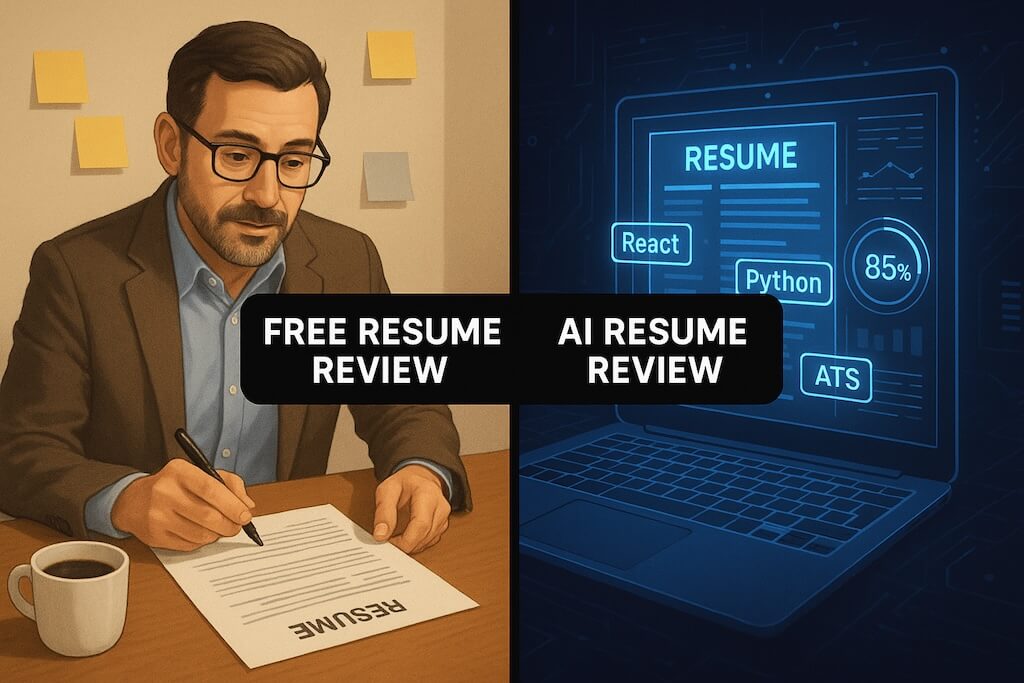
You’ve heard AI can review your resume. But what does that actually mean? Is an AI resume checker just spitting out generic advice, or is it genuinely analyzing your specific document?
Here’s what’s actually happening under the hood—and how to use these tools to land more interviews, not just feel better about your resume.
If your first goal is a quick score, start with our rate my resume free guide to see how AI resume raters, resume graders, and resume checkers fit together.
What Does an AI Resume Checker Actually Analyze?
Modern AI resume checkers go far beyond simple keyword counting. Here’s what sophisticated tools evaluate:
1. ATS Parsing Accuracy
Before a human sees your resume, it passes through an Applicant Tracking System (ATS). AI checkers simulate this process to find:
- Parsing errors — Does your contact info get extracted correctly?
- Section recognition — Can the ATS identify your work experience, education, and skills?
- Format compatibility — Do tables, columns, or graphics break the parsing?
- File format issues — Is your PDF machine-readable or image-based?
If your resume can’t be parsed, it won’t be searchable. Recruiters literally can’t find you. This is the most critical check.
2. Keyword and Skills Matching
AI compares your resume against:
- Job description requirements — Are you using the same terms employers use?
- Industry-standard terminology — “Project management” vs. “PM” vs. “managing projects”
- Hard skills detection — Technical skills, tools, certifications
- Soft skills presence — Leadership, communication, problem-solving (when relevant)
This isn’t about stuffing keywords. It’s about speaking the same language as the hiring system and the humans behind it.
3. Content Quality Signals
Advanced AI evaluates the substance of your resume:
- Quantified achievements — Do you have numbers, percentages, dollar amounts?
- Action verb variety — “Led,” “built,” “increased” vs. “responsible for,” “helped with”
- Specificity — Vague claims vs. concrete accomplishments
- Relevance — Does your experience match typical requirements for your target role?
4. Formatting and Structure
AI checks the visual and structural elements:
- Consistent formatting — Fonts, bullet styles, date formats
- Appropriate length — Too short (thin experience) or too long (unfocused)
- Section order — Is the most relevant information prominent?
- White space and readability — Can a human scan this in 6 seconds?
5 Things AI Catches That Humans Miss
Even experienced resume reviewers overlook issues that AI spots instantly:
1. Invisible Formatting Errors
Your resume looks perfect in Word. But when the ATS parses it, your phone number merges with your email, and your job titles disappear. AI checkers that simulate ATS parsing catch these silent killers.
2. Keyword Gaps You Didn’t Know Existed
You’re a “software developer” applying to “software engineer” roles. Same job, different keyword. AI identifies these mismatches by comparing your resume against actual job postings—not your assumptions about what matters.
3. Inconsistent Date Formats
“Jan 2023 - Present” in one job, “2021-2022” in another, “March 2019 to September 2020” in a third. Humans skim past this. ATS systems can choke on it. AI catches it every time.
4. Missing Standard Sections
No skills section? Education buried at the bottom when you’re a recent grad? Summary statement that adds nothing? AI flags structural issues that weaken your resume’s effectiveness.
5. Weak Bullet Points at Scale
Humans can identify one weak bullet point. AI can scan all 20 of your bullets and rank them by strength—showing you which ones drag down your resume and why.
How to Interpret AI Resume Feedback
AI feedback is only useful if you know what to do with it. Here’s how to prioritize: If you want a scoring layer on top of AI diagnostics, start with an AI resume score and then use this resume grading framework to prioritize fixes by impact.
Fix These First (Critical)
- ATS parsing failures — If your resume can’t be read, nothing else matters
- Missing keywords for your target role — Especially hard skills and tools
- Contact information errors — Wrong email format, missing phone number
Fix These Second (Important)
- Weak or vague bullet points — Especially for your most recent roles
- Formatting inconsistencies — Dates, fonts, bullet styles
- Missing quantified results — Add numbers wherever possible
Fix These Last (Polish)
- Summary statement optimization — Nice to have, not critical
- Soft skill language — Usually matters less than hard skills
- Minor keyword variations — “JavaScript” vs “JS” (cover both if space allows)
When AI Resume Feedback Isn’t Enough
AI is a diagnostic tool, not a career counselor. Know its limits:
AI Struggles With:
- Career change narratives — It can’t tell you how to position a pivot
- Industry-specific expectations — Norms vary (academia vs. startups vs. government)
- Creative roles — Design, writing, and marketing resumes break standard rules intentionally
- Executive-level resumes — Strategy and leadership positioning requires human judgment
- Cultural fit signals — AI can’t evaluate if your personality comes through appropriately
Pair AI With Human Feedback For:
- Major career transitions
- Breaking into a new industry
- Senior or executive roles
- Creative or non-traditional fields
- When you’ve optimized technically but still aren’t getting callbacks
For most job seekers, AI handles the technical foundation. Layer human feedback on top for strategic positioning.
How to Use an AI Resume Checker Effectively
Follow this workflow to get maximum value:
Step 1: Start With a Baseline Check
Upload your current resume to an AI checker before making any changes. Note your initial scores and the specific issues flagged.
Step 2: Have a Target Job Description Ready
The best AI tools compare your resume against a specific job posting. Generic feedback is generic. Targeted feedback is actionable.
Step 3: Focus on One Category at a Time
Don’t try to fix everything at once. Start with ATS compatibility, then move to keywords, then content quality. This prevents overwhelm and helps you track what’s working.
Step 4: Re-Check After Each Round of Edits
Run your resume through the AI again after making changes. Confirm your fixes worked and didn’t introduce new issues. This iteration is where real improvement happens.
Step 5: Use AI to Tailor for Each Application
For roles you really want, run a check against that specific job description. Different jobs need different keyword emphasis. Tools like ApplyBuddy can help you tailor quickly.
Best Practices for AI-Optimized Resumes
Based on what AI checkers evaluate, here’s how to build a resume that scores well:
Format for Machines First
- Use standard section headings: “Experience,” “Education,” “Skills”
- Stick to single-column layouts (or very simple two-column)
- Avoid headers/footers for critical information
- Use a modern, ATS-friendly template
- Save as PDF (from Word, not as a scanned image)
Write for Keyword Matching
- Mirror language from job descriptions
- Include both acronyms and spelled-out versions (“SEO / Search Engine Optimization”)
- List specific tools and technologies by name
- Use industry-standard job titles (or include them parenthetically)
Strengthen Every Bullet Point
- Start with strong action verbs (led, built, increased, reduced)
- Include quantified results (percentages, dollar amounts, time saved)
- Be specific about scope (team size, budget, user count)
- Focus on impact, not just responsibilities
Keep It Scannable
- Use consistent formatting throughout
- Keep bullet points to 1-2 lines each
- Front-load the most important information
- Maintain adequate white space
AI Resume Checkers vs. AI Resume Writers
These are different tools:
| AI Resume Checker | AI Resume Writer |
|---|---|
| Analyzes your existing resume | Generates new resume content |
| Gives feedback and scores | Creates bullet points and summaries |
| You make the edits | AI makes the edits |
| Lower risk of generic content | Higher risk of sounding like everyone else |
Recommendation: Use AI checkers for feedback, then write your own improvements. If you use AI writing assistance, heavily edit the output to sound like you. Check out our guide on editing AI-generated resumes for specific techniques.
FAQ: AI Resume Checker Questions
Are AI resume checkers accurate?
For what they’re designed to check—yes. AI is highly accurate at detecting ATS parsing issues, keyword matches, formatting problems, and quantifiable content gaps. It’s less accurate at evaluating subjective elements like career narrative or industry fit. Use AI for technical diagnostics, not career strategy.
Will using an AI checker make my resume sound robotic?
Not if you’re using it correctly. AI checkers give you feedback—they don’t rewrite your resume. You implement changes in your own voice. The risk of sounding robotic comes from AI writers, not AI checkers.
How is an AI resume checker different from ATS software?
ATS software is what companies use to manage applications. AI resume checkers simulate ATS behavior to predict how your resume will perform. Think of it as a practice run before the real thing.
Should I pay for an AI resume checker?
Start with free tools to see if AI feedback helps you. Paid tiers typically offer more detailed analysis, job description matching, or unlimited checks. Pay for these features if you’re actively job searching and want to tailor for multiple roles. For a single check, free tools (like ApplyBuddy’s) give you plenty to work with.
Can AI help me get past ATS filters?
AI can dramatically improve your chances by identifying parsing errors, missing keywords, and formatting issues before you apply. But no tool can guarantee you’ll pass every ATS—hiring requirements, competition, and recruiter preferences all factor in. AI improves your odds; it doesn’t guarantee outcomes.
How often should I run my resume through an AI checker?
At minimum: before starting a job search, and when tailoring for important applications. Many job seekers run a quick check before every application to catch job-specific keyword gaps. It takes 30 seconds and can prevent easily avoidable rejections.
Your Resume Is a System—Optimize It Like One
AI resume checkers treat your resume as what it is: a document that needs to pass through automated systems before reaching humans. Use AI to nail the technical requirements, then layer in the human elements that make you memorable.
Start by seeing where your resume stands right now.